Any data processing in a database application usually begins and ends at the presentation level. The user asks the system for some data, this "request" is converted into a query (or several queries) to the database, we receive data from there, process it, format it if necessary and send it back for display in the UI.
In many projects, the number of parameters by which you can search for data is in the tens or even hundreds. EasyQuery provides a unified and easy-to-use UI for building complex queries on many parameters, converting them into database queries and displaying results.
EasyQuery includes many visual components both to build complex queries and to display the results of those queries in all possible variations. It includes different widgets that represent the query (QueryPanel, ColumnsPanel, etc), a multifunctional table (grid) to display the result, pagination controls, aggregation and grouping UI, charts, dashboards, ad-hoc reporting components and many other UI widgets.
As we said before, EasyQuery will be helpful almost of any database application. However, for some most common scenarios we create a ready-to-use sample projects that you start using right away with a minimal adjustments to your data model and the database type. Here are these scenarios:
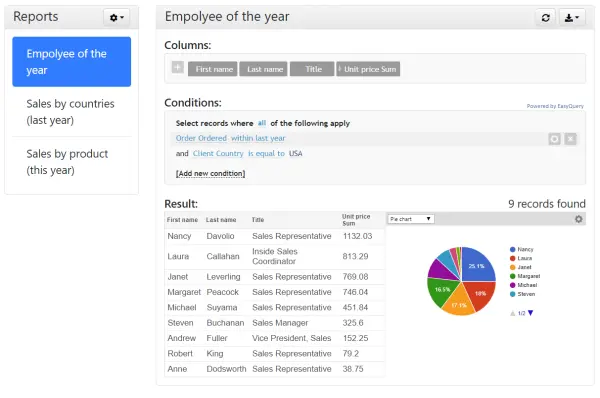
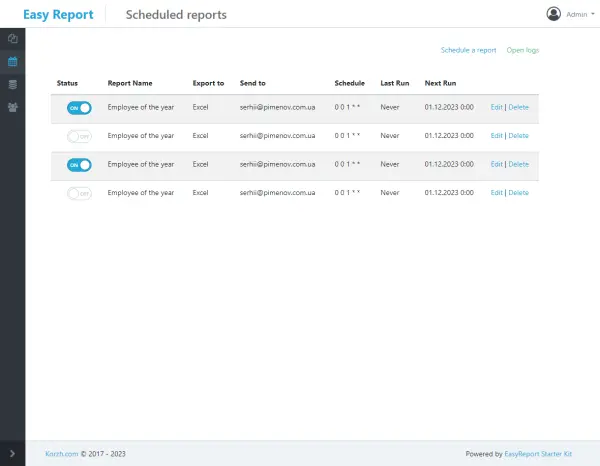
With EasyQuery, you empower your users to build, modify, and save queries for reports, create charts, and export results. You don't have to develop such an application from scratch. Our EasyReport Starter Kit provides a ready-to-use reporting solution with features like multi-tenancy, data exports, scheduled reports, and more. Simply obtain the code, customize the application to your branding, and deploy it to your web server.
Do your users fated to use such ugly forms? Not with EasyQuery!
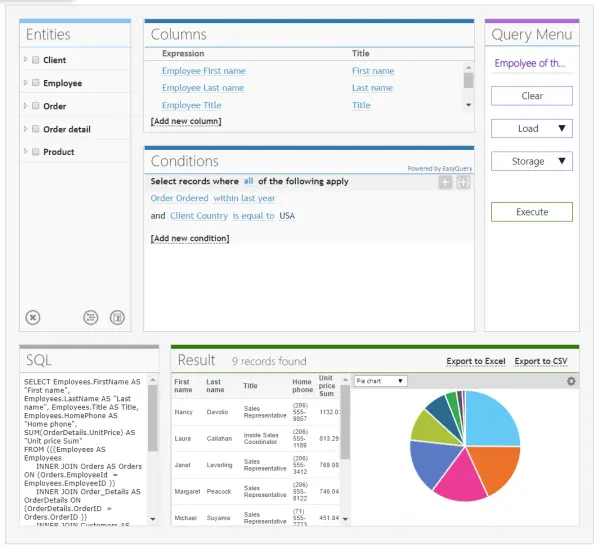
The EasyQuery interface is laconic and intuitive, it allows to build almost any combination of conditions your users could wish for.
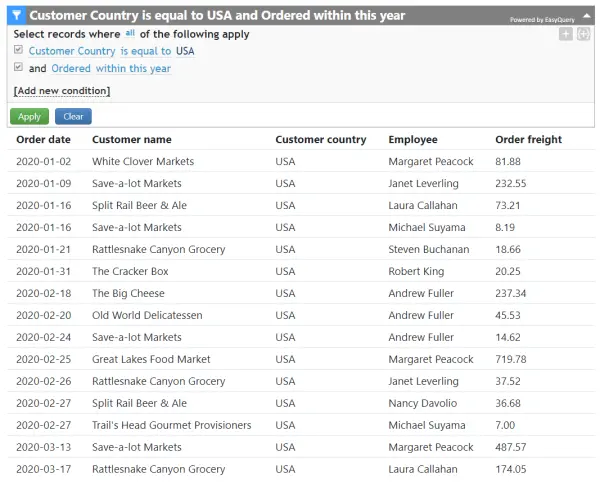

Imagine you need to search for a specific word or phrase across your entire database, in any field. You might also want to apply specific criteria.
With EasyQuery, you're one step away from success.
...or any other end-user interface related to data manipulating
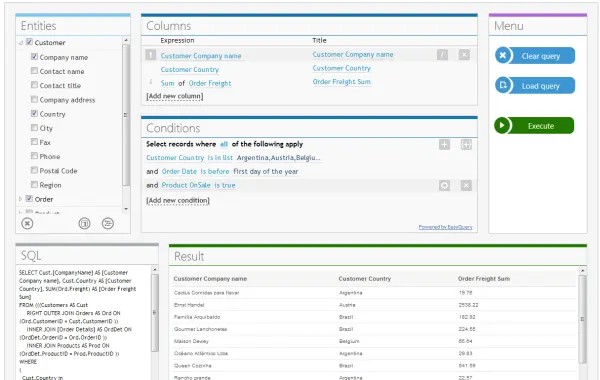
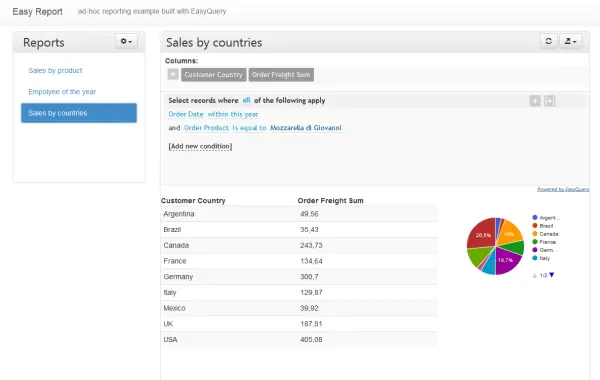
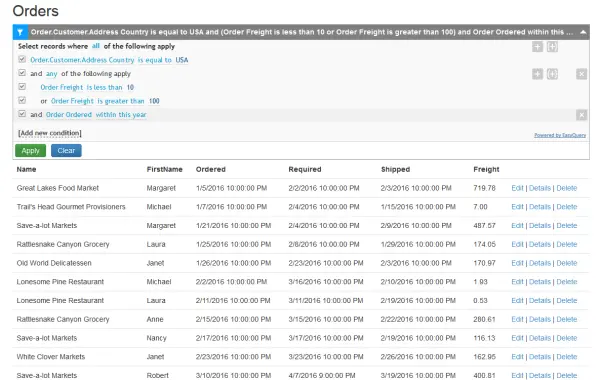
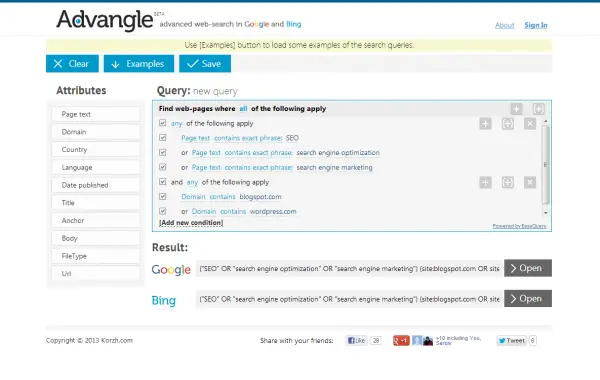
ASP.NET Core solution template for ad-hoc reporting
Don't build everything from scratch. Use ERSK as the starting point!
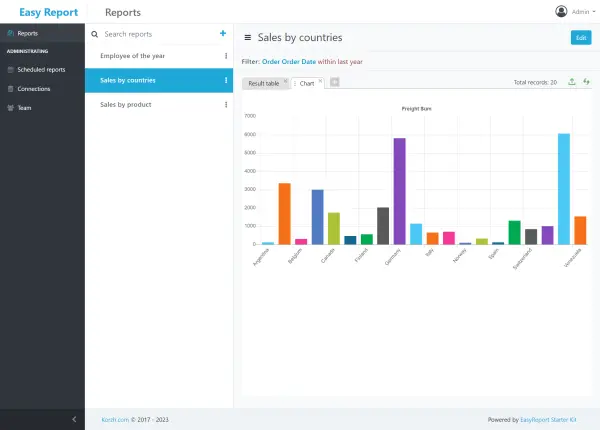
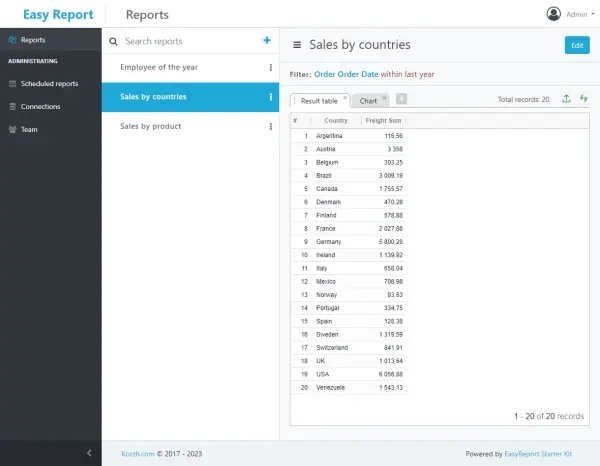
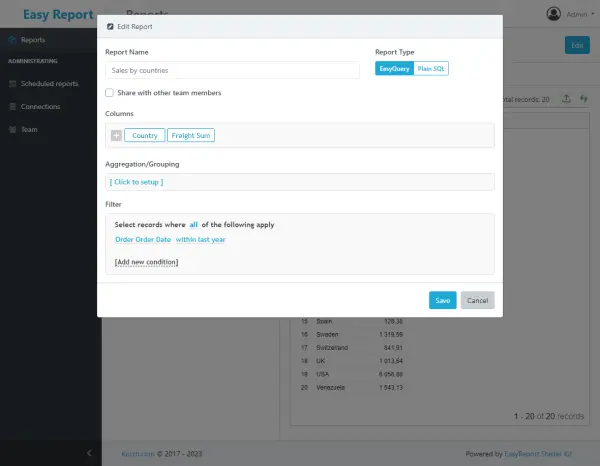
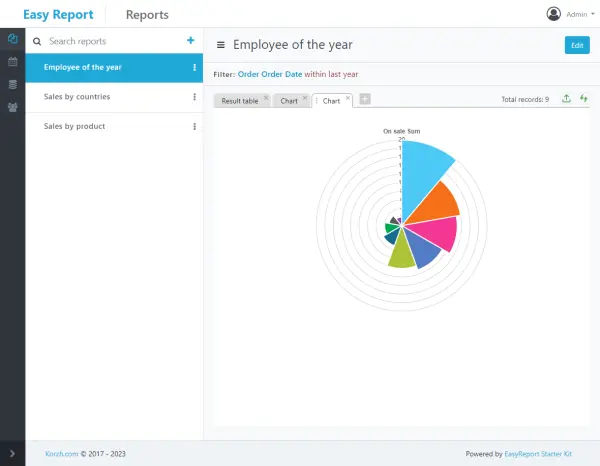
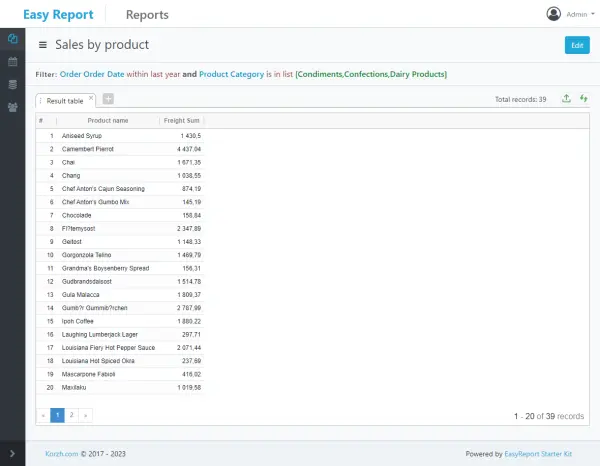
So, as you can see EasyQuery.JS gives you a simple to use but powerful user interface to build a query or a filter to your data. Even users unfamiliar with SQL can harness its power with the simplicity of the natural language.
EasyQuery allows you to integrate end-user-oriented query builder into your ASP.NET Core project.
ASP.NET Core edition of EasyQuery may be used with almost any front-end platform and/or framework (MVC, Razor pages, Angular, React, Vue, etc).
Ad-hoc query builder is a useful addition to WebForms and MVC web-app that requires some functionality for advanced searching and/or filtering. EasyQuery ASP.NET components provide your application with a powerful and easy-to-use interface for visual query building. It helps your users build their own queries and reports without the necessity to call for additional assistance or to contact your support team.
Dynamic SQL query builder will be a good addition for any Windows Forms application (especially a database-related one). EasyQuery WinForms is designed to help you with this task. As a result, your C# or VB.NET application get an end-user-oriented query builder which helps your users to run any queries they can imagine without any additional assistance from your support team. EasyQuery components allow them to build even complex queries or filter expressions visually simply by assembling a phrase in natural language.
EasyQuery Silverlight will be an useful addition to any Silverlight project which works with some database. This library allows you to include end-user-oriented web-based query builder into your page(s) and helps your users to build their own reports without necessity to contact your support team.
EasyQuery WPF will be a good addition for any database application built on top of Windows Presentation Foundation library. Our components allows you to include end-user-oriented query builder into your program and helps your users to build and run any queries by their own without contacting your support team.
SimpleQuery is a Delphi (VCL) edition of our EasyQuery product family. This component library allows you to integrate end-user-oriented query builder into your Delphi or C++Builder project. Try it now: it will take only 20-30 minutes to include SimpleQuery components into your existing project!
Read the End User License Agreement before installing EasyQuery.
ASP.NET CORE |
Basic
$249
|
Developer
$499
|
Team
$1199
|
Company
$1999
|
| Features | BUY NOW | BUY NOW | BUY NOW | BUY NOW |
| Number of Developers | 1 | 1 | Up to 5 | Unlimited |
| Source Code | ||||
| Standard Support | ||||
| Premium support | ||||
| Non-exclusive life-time license | ||||
| Free redistribution with your product |
ASP.NET |
Basic
$249
|
Developer
$499
|
Team
$1199
|
Company
$1999
|
| Features | BUY NOW | BUY NOW | BUY NOW | BUY NOW |
| Number of Developers | 1 | 1 | Up to 5 | Unlimited |
| Source Code | ||||
| Standard Support | ||||
| Premium support | ||||
| Non-exclusive life-time license | ||||
| Free redistribution with your product |
WinForms |
Basic
$249
|
Developer
$499
|
Team
$1199
|
Company
$1999
|
| Features | BUY NOW | BUY NOW | BUY NOW | BUY NOW |
| Number of Developers | 1 | 1 | Up to 5 | Unlimited |
| Source Code | ||||
| Standard Support | ||||
| Premium support | ||||
| Non-exclusive life-time license | ||||
| Free redistribution with your product |
Silverlight |
Basic
$249
|
Developer
$499
|
Team
$1199
|
Company
$1999
|
| Features | BUY NOW | BUY NOW | BUY NOW | BUY NOW |
| Number of Developers | 1 | 1 | Up to 5 | Unlimited |
| Source Code | ||||
| Standard Support | ||||
| Premium support | ||||
| Non-exclusive life-time license | ||||
| Free redistribution with your product |
WPF |
Basic
$249
|
Developer
$499
|
Team
$1199
|
Company
$1999
|
| Features | BUY NOW | BUY NOW | BUY NOW | BUY NOW |
| Number of Developers | 1 | 1 | Up to 5 | Unlimited |
| Source Code | ||||
| Standard Support | ||||
| Premium support | ||||
| Non-exclusive life-time license | ||||
| Free redistribution with your product |
DELPHI/VCL |
Standard
$129
|
Pro
$249
|
Company
$689
|
| Features | BUY NOW | BUY NOW | BUY NOW |
| Number of Developers | 1 | 1 | Unlimited |
| Source Code | |||
| Standard Support | |||
| Premium support | |||
| Non-exclusive life-time license | |||
| Free redistribution with your product |
No. The license price is final, no additional fees. Once you purchased the EasyQuery you may use it in any number of your projects for any number of end users or site visitors. There are NO deployment limitations.
We provide annual subscriptions for our products to give you access to the latest releases and support.
We accept payment via credit card, check, paypal, wire transfer and some others. You can select the acceptable payment method on the order form.
Click the appropriate "Buy Now" button in the table above to open the order page. At the end of that page you will find "Get Quote" button. Fill out the form and press this button to get a quote.
The subscription is annual fee we take to give you access to the latest releases and support. Valid subscription allows you to download a new versions of the Product. When the new version is released you don't need to pay for upgrade - just download it from our Members Area.
The first year subscription is included to the license price.
With expired subscription you will no longer have access to new releases and support. You will be able to renew the expired subscription (so called "welcome back"), but it will cost you more than twice as much.
The 1-year subscription renewal costs about 25% of license price for those who renew the subscription in time - before the expiration date. And there is a "welcome back" price - about 70% - for those who are late.
To purchase the subscription go to your account page, sign in, find "Licenses" panel and click the "Renew" link on the right of selected license.
To get the lower price the renewal should be done before the subscription expiration date. You can find the expiration date on the Licenses page of our Members Area. We also will remind you several times by e-mail.
Yes you can. Your EasyQuery license is perpetual. However, you will be using the last product version released before your subscription expired.
If you choose not to renew your subscription, you will no longer have access to new releases and support, and we will be very sad.
Your license is tied to your Korzh.com account.
To get the full (registered) copy of EasyQuery simply log into your account page and download the latest version of the product.
We offer sterling support online in order to make you succeed. You may initiate a support ticket on this page.
We provide the full-featured Trial version for free. We hope that you tried to use it during some time to make an informed decision when purchasing the product.
Unfortunately, we can not give money-back guarantee on purchased license. So, please be attentive - the purchased license is non-refundable!
Yes, we have. Go to reseller's FAQ for details
Don't hesitate to contact us; we are eager to assist with any inquiries.


